Introduction
So I’ve been running Proxmox in my homelab for a couple of years.
I didn’t initially set up backups as I was too busy learning both Proxmox and the other different systems I was setting up.
Earlier this year I decided to set up backups of certain VMs by using my NAS as an external storage medium.
This was working perfectly whereas Proxmox kept a certain amount of backups of each VM and purged the old ones over time.
However there was a problem creeping up, more on this a bit later on.
The backup solution
The backup solution I currently have set up is using Pool based selection which allows me to assign each VM to a specific pool and have different backup rules for each.
Storage volume
Under Datacenter > Storage I added a new Samba/CIFS volume.
| Id | Server | Share | Content |
|---|---|---|---|
nas | server hostname / ip | SharedVolume | ISO image VZDump backup file |
| Note: these are not the real values but are used as indicators, the only exception is Content :) | |||
| The important part is VZDump, however I also like to have my ISOs there too. |
Setting up the Pools
Under Datacenter > Permissions > Pools I’ve made 2 Pools, one called Production and the other Development. Then for each pool I added the respective VMs.
The backup jobs
As for the backup jobs, these are quite simple. Everything is left default other than the following
| Pool | Schedule | Retention |
|---|---|---|
| Production | 01:00 | keep 2 daily and 1 weekly |
| Development | 02:00 | keep 1 daily |
Then came issues
A few months went by and things were ticking along nicely. One day after hopping onto my Synology NAS with the admin account, I found that the logs were being spammed by access attempts towards the CIFS volume I had set up, all of which came from my Proxmox instance.
After digging a bit I found that when a Samba/CIFS storage volume is added to Proxmox, Proxmox will poll for disk statistics every 10 seconds where each request is using a new connection (this might also be true for other volumes).
This has 2 really annoying implications:
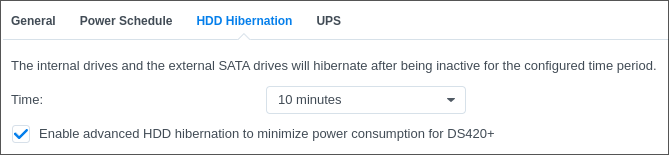
- When HDD hibernation is enabled on the NAS, the disk polling keeps the disks perpetually active, completely negating the HDD hibernation.
- Log Center is constantly bombarded with garbage logs every 10 seconds throughout the day, e.g:
 The log spam is worsened by viewing the Storage volume in the Proxmox web interface.

The solution
After searching for a bit, I found the a forum thread1 where one of the Proxmox Subscribers proposed disabling the storage volume using a cronjob outside of the backup window. Since this is a homelab and I’m using a simple NAS as the backup volume so I found this to be a decent solution.
As I run backups nightly I decided on the following cronjob which works fine for my use case.
# m h  dom mon dow   command
50 00 * * * 	pvesh set storage/diskstation420 --disable 0 >/dev/null
50 02 * * * 	pvesh set storage/diskstation420 --disable 1 >/dev/null
These cronjob will enable the specified storage volume at 00:50 each night and then disable it at 02:50, which is well outside the window for the backup jobs.
The only nuisance with disabling the volume is that you’ll need to re-enable them if / when you want to adjust the backup jobs. This is because the volume will not show up in Proxmox while the volume is disabled.
This can easily be done from the webinterface by going to Datacenter > Storage.
This is now how I’ve been running it for the past year or so and all-in-all I’m quite happy with it.